Setting Up YourOfficial Business Details
Official Business Details are used to verify your business before your loyalty program can be released on Collbine. This information is reviewed by the Collbine team and is not visible to customers.
You only need to complete this section once. In most cases, you will not need to update it unless your registered business details change.
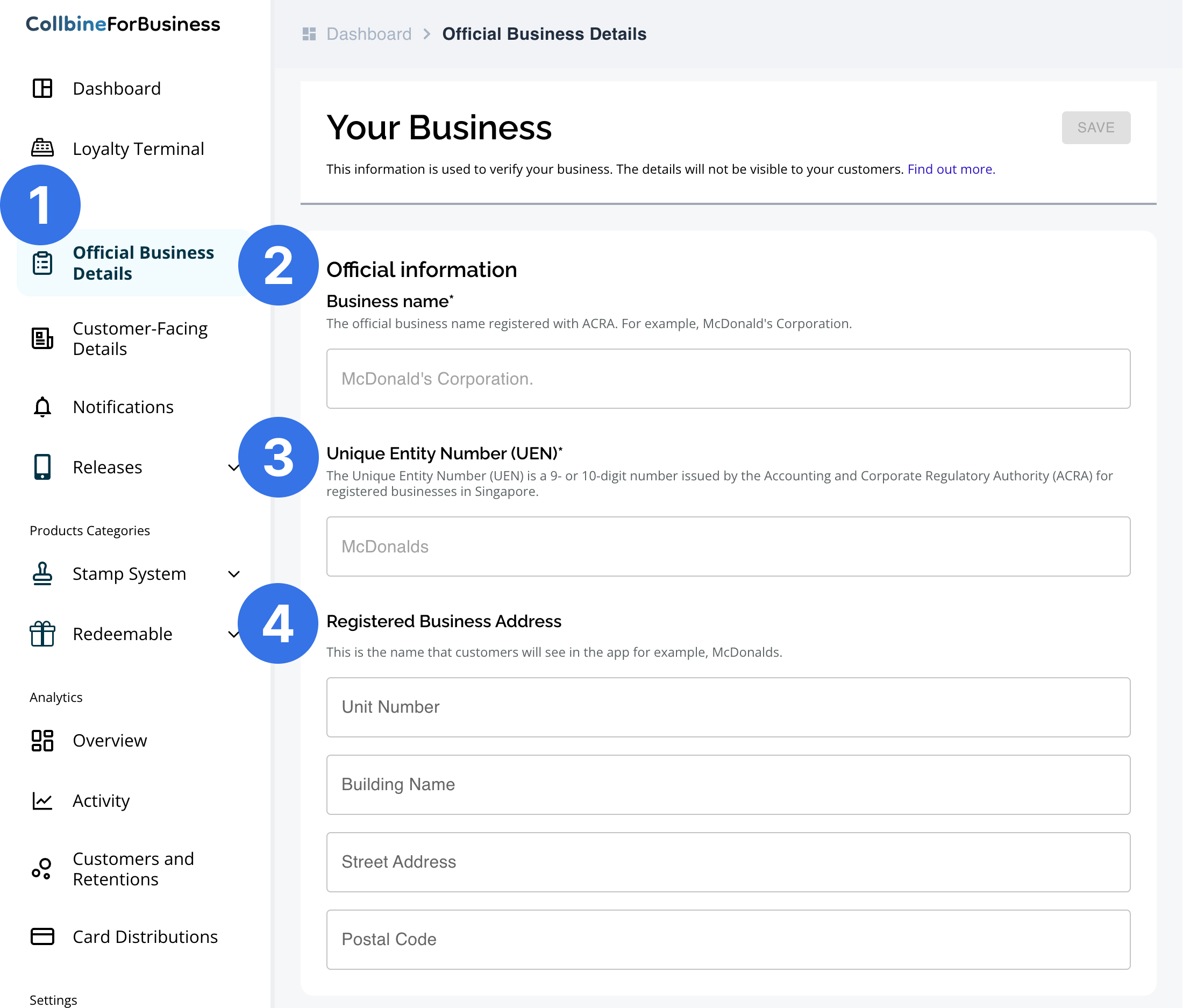
Step 1: Go to the Official Business Details page
After logging in, click Official Business Details from the sidebar. You can also access this page directly by clicking here.
This page is where you provide the registered business information required to verify your business.
Step 2: Enter your Business Name
Enter the official business name as registered with theAccounting and Corporate Regulatory Authority (ACRA). Using the correct name helps prevent approval delays.
- Use the exact name shown in your ACRA records
- Do not enter a trading name, outlet name, or brand name
- This name is used for verification purposes and will not be shown to customers
- Do not include any additional words or abbreviations
Step 3: Enter your Unique Entity Number (UEN)
Provide your Unique Entity Number (UEN) issued by ACRA for registered businesses in Singapore.
- For sole proprietors, you may enter your Singapore NRIC
- Ensure the UEN or NRIC matches your official registration records
At the moment, Collbine supports only registered businesses.Temporary stores, pop-up stores, or unregistered businesses are not supported.
Step 4: Enter your Registered Business Address
Enter your registered business address, including:
- Unit number
- Building name
- Street address
- Postal code
This address is used for business verification and official correspondence, such as administrative notices. It will not be displayed to customers in the Collbine app.
Please ensure the address provided matches your registered business records.
Save and continue
Once all details are entered, click Save. After verification, you can proceed to set up your Customer-Facing Details.